online outliner creation toolDynalistBy using this service to organize your thoughts, it will be easier to take the next action and you will be able to proceed with things more efficiently, so this is a highly recommended service.
In the previous article, I introduced how to use Dynalist as a task management tool.
However, since it is a service created in an English-speaking country, the way the editor displays characters is not suitable for Japanese texts.
To solve this problem, there is a way to use Dynalist’s paid plan (PRO) and write custom CSS yourself, but it is a little difficult to do, so here we will show you how to change the appearance of the editor while staying on the free plan.
The method introduced here isValid only when viewed on a computerPlease note that it cannot be used on tablets or smartphones.If you want to use it on something other than a computer, you need to use a paid plan.
Introduced user style sheet setting function
Here we will introduce how to install a Google Chrome extension and apply a user style sheet, but you can use similar methods with almost any modern computer browser.
Google Chrome extension “Stylus” installation
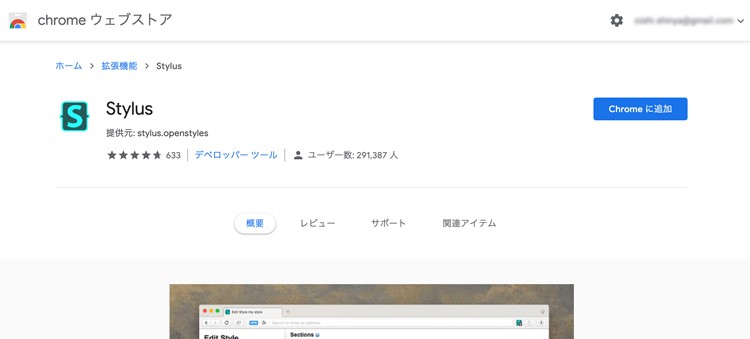
FirstStylusInstall the extension for
Once installed, an icon will appear at the top right of the window.
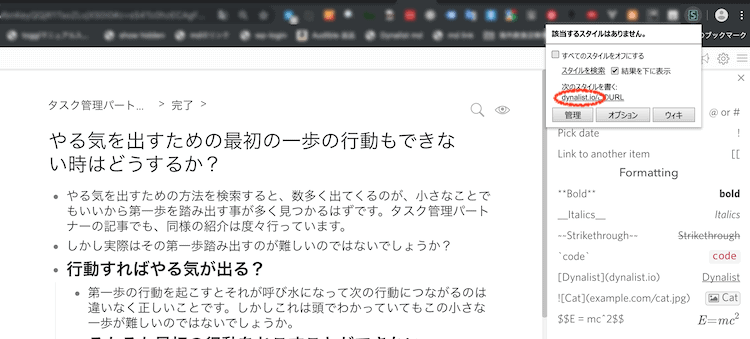
Next, with the Dynalist editor displayed, click the URL of “dynalist.io” under the words “Write the next style”.
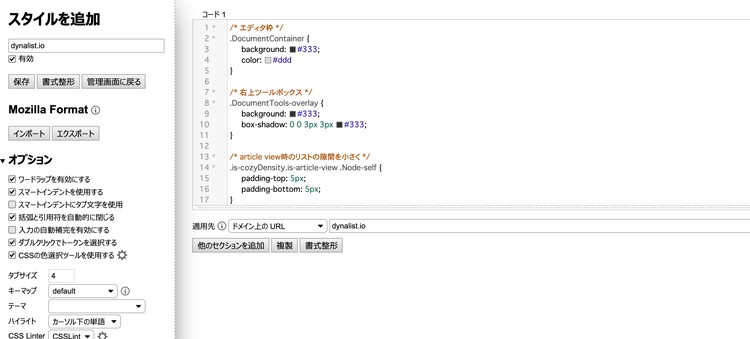
The editor has opened.Style sheet settings entered in the “Code 1” text area on the right side of this screen can be applied under the Dynalist domain.
We have prepared two types of simple user style sheets.
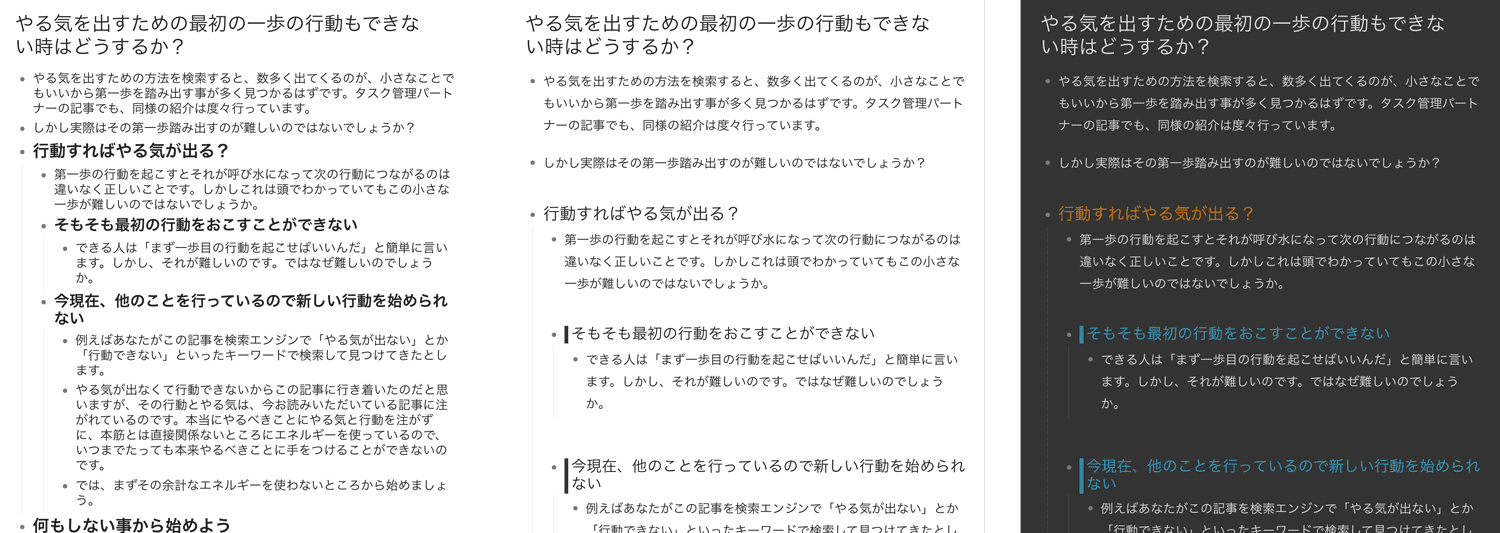
We have prepared two types of user style sheets.Copy the code you want to use and paste it into the Stylus editor.
White theme with a few adjustments to the original appearance, such as line spacing.
/* Line spacing adjustment */
.Node {
margin: 0.9rem 0;
}
.Node-renderedContent.node-line,
.is-mediumFont .node-line{
line-height: 1.8;
}

/* Reduce the gap in the list when viewing article */
.is-cozyDensity.is-article-view .Node-self {
padding-top: 5px;
padding-bottom: 5px;
}

/* Set heading font weight to normal */
.Node-self.is-heading .Node-content,
.Node-self.is-heading .Node-renderedContent {
font-weight: normal;
}

/* Leave a gap above headings with child nodes */
.Node-self.is-heading.is-parent {
margin-top: 20px
}

/* Heading 2 */
.Node-self.is-heading2 .Node-contentContainer .node-line {
border-left: 5px solid #333;
border-radius: 0px;
padding-left: 5px;
}

/* Heading 3 */
.Node-self.is-heading3 .Node-contentContainer {
border-bottom: 1px solid #333;
}
Dark theme that is easy on the eyes
/* editor frame */
.DocumentContainer {
background: #333;
color: #ddd
}

/* Top right toolbox */
.DocumentTools-overlay {
background: #333;
box-shadow: 0 0 3px 3px #333;
}

/* Line spacing adjustment */
.Node {
margin: 0.9rem 0;
}
.Node-renderedContent.node-line,
.is-mediumFont .node-line{
line-height: 1.8;
}

/* Reduce the gap in the list when viewing article */
.is-cozyDensity.is-article-view .Node-self {
padding-top: 5px;
padding-bottom: 5px;
}

/* Thin the line to the left of child nodes in list view */
.Node-children {
border-color: #444;
}

/* When selecting list */
.Node.is-selected {
background: #005aa3
}

/* text selection */
.DocumentContainer *::selection {
background: #aaa;
}

/* Set heading font weight to normal */
.Node-self.is-heading .Node-content,
.Node-self.is-heading .Node-renderedContent {
font-weight: normal;
}

/* Leave a gap above headings with child nodes */
.Node-self.is-heading.is-parent {
margin-top: 20px
}

/* Heading 1 */
.Node-self.is-heading1 .Node-contentContainer .node-line {
color: #d07805;
}

/* Heading 2 */
.Node-self.is-heading2 .Node-contentContainer .node-line {
border-left: 5px solid #369ac1;
border-radius: 0px;
padding-left: 5px;
color: #369ac1;
}

/* Heading 3 */
.Node-self.is-heading3 .Node-contentContainer {
border-bottom: 1px solid #4b9868;
color: #4b9868;
font-size: 18px;
}

/* color label */
.Node-contentContainer.mod-color-label-1,
.Node-contentContainer.mod-color-label-2,
.Node-contentContainer.mod-color-label-3,
.Node-contentContainer.mod-color-label-4,
.Node-contentContainer.mod-color-label-5,
.Node-contentContainer.mod-color-label-6 {
color: #333;
}

/* bold */
.node-bold {
color: #fff;
}
If you like it, consider using a paid plan.


If you like Dynalist’s service, please let us guide you to the paid version.