Dynalist is a powerful online outliner. Organising ideas in Dynalist makes it easier to decide what to do next. In a previous article we introduced it as a task manager.
/blog/manual/tool/dynalist-features-and-tips/
Because Dynalist was created in English, the default fonts and spacing are not optimised for Japanese text. You can fix that with the Pro plan and custom CSS, but here is a lighter option that works on the free plan.
This tweak only affects the desktop browser. If you want the same look on tablets or phones, consider upgrading to Pro.
Install a User-Style Extension
I will demonstrate with a Google Chrome extension, but most desktop browsers offer something similar.
Step 1: Install Stylus
After installing Stylus, an icon appears in the upper right corner of the browser window.
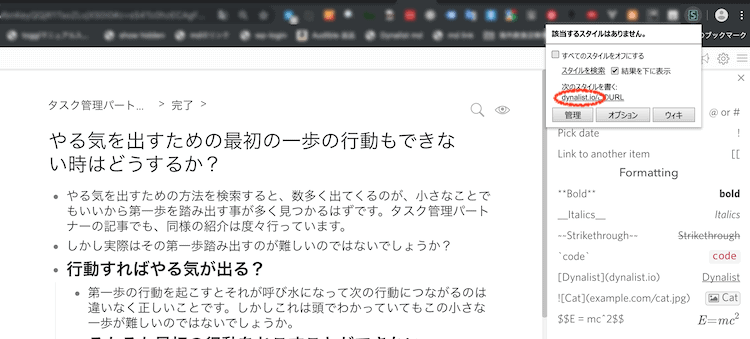
Open Dynalist, click the Stylus icon, and select the dynalist.io link under “Write style for.”
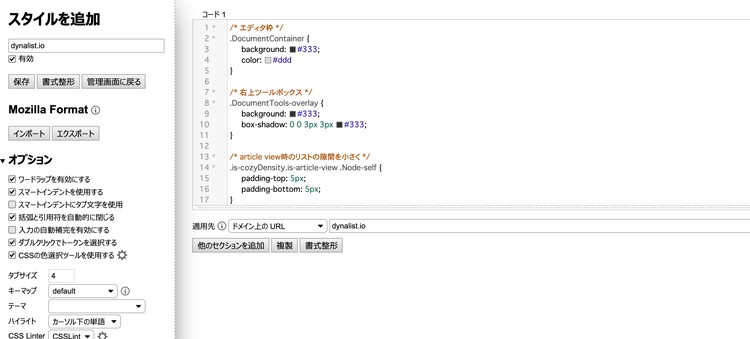
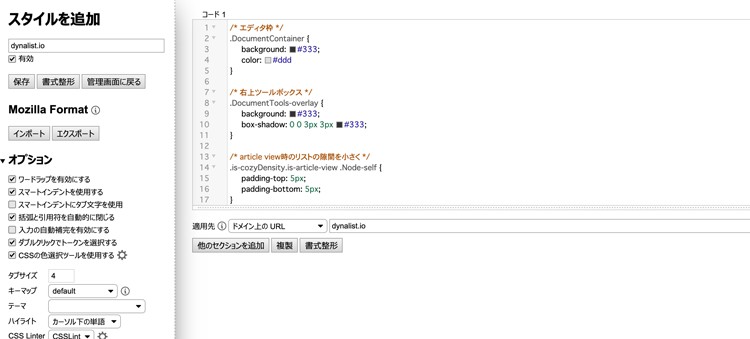
A code editor opens. Anything you enter will apply to the dynalist.io domain.
Two Sample Styles
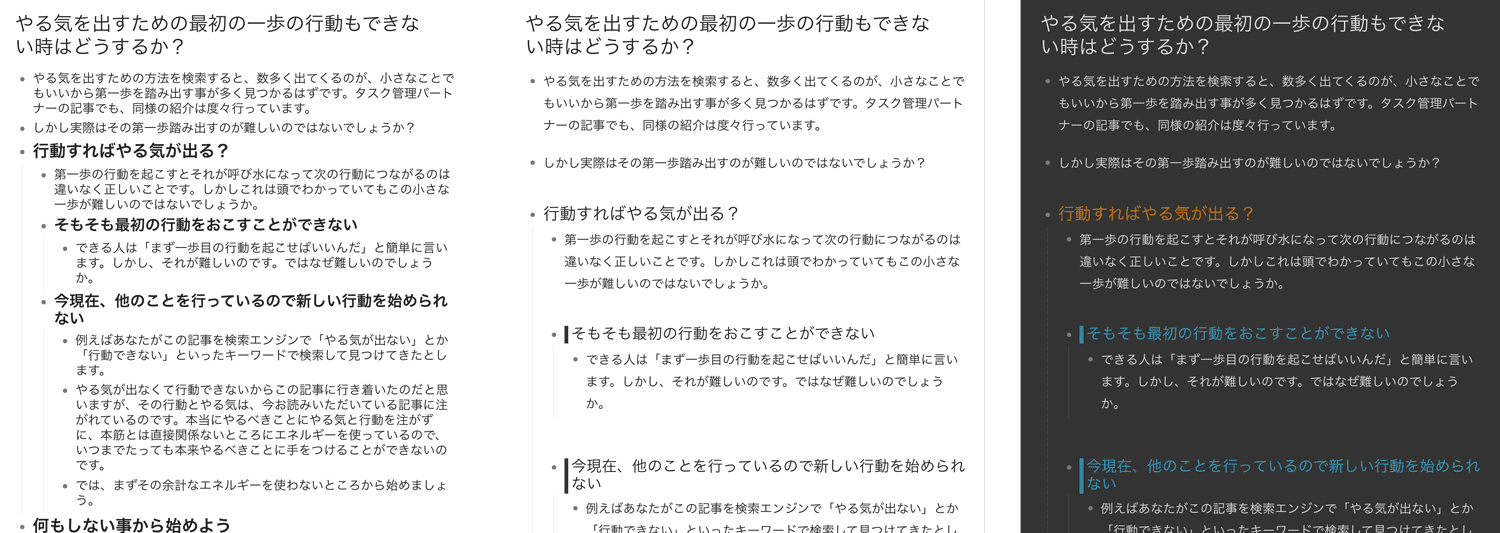
Copy and paste the code you like into the editor.
White Theme with Wider Line Spacing
/* 行間調整 */
.Node {
    margin: 0.9rem 0;
}
.Node-renderedContent.node-line,
.is-mediumFont .node-line{
    line-height: 1.8;
}

/* article view時のリストの隙間を小さく */
.is-cozyDensity.is-article-view .Node-self {
    padding-top: 5px;
    padding-bottom: 5px;
}

/* 見出しフォントのウェイトを普通に */
.Node-self.is-heading .Node-content,
.Node-self.is-heading .Node-renderedContent {
    font-weight: normal;
}

/*  子ノードを持つ見出しの上に隙間を空ける */
.Node-self.is-heading.is-parent {
    margin-top: 20px
}

/* 見出し2 */
.Node-self.is-heading2 .Node-contentContainer .node-line  {
    border-left: 5px solid #333;
    border-radius: 0px;
    padding-left: 5px;
}

/* 見出し3 */
.Node-self.is-heading3 .Node-contentContainer {
    border-bottom: 1px solid #333;
}
Eye-Friendly Dark Theme
/* エディタ枠 */
.DocumentContainer {
    background: #333;
    color: #ddd
}

/* 右上ツールボックス */
.DocumentTools-overlay {
    background: #333;
    box-shadow: 0 0 3px 3px #333;
}

/* 行間調整 */
.Node {
    margin: 0.9rem 0;
}
.Node-renderedContent.node-line,
.is-mediumFont .node-line{
    line-height: 1.8;
}

/* article view時のリストの隙間を小さく */
.is-cozyDensity.is-article-view .Node-self {
    padding-top: 5px;
    padding-bottom: 5px;
}

/* list view時の子ノード左のラインを薄く */
.Node-children {
    border-color: #444;
}

/* リスト選択時 */
.Node.is-selected {
    background: #005aa3
}

/* テキスト選択 */
.DocumentContainer *::selection {
    background: #aaa;
}

/* 見出しフォントのウェイトを普通に */
.Node-self.is-heading .Node-content,
.Node-self.is-heading .Node-renderedContent {
    font-weight: normal;
}

/*  子ノードを持つ見出しの上に隙間を空ける */
.Node-self.is-heading.is-parent {
    margin-top: 20px
}

/* 見出し1 */
.Node-self.is-heading1 .Node-contentContainer .node-line  {
    color: #d07805;
}

/* 見出し2 */
.Node-self.is-heading2 .Node-contentContainer .node-line  {
    border-left: 5px solid #369ac1;
    border-radius: 0px;
    padding-left: 5px;
    color: #369ac1;
}

/* 見出し3 */
.Node-self.is-heading3 .Node-contentContainer {
    border-bottom: 1px solid #4b9868;
    color: #4b9868;
    font-size: 18px;
}

/* カラーラベル */
.Node-contentContainer.mod-color-label-1,
.Node-contentContainer.mod-color-label-2,
.Node-contentContainer.mod-color-label-3,
.Node-contentContainer.mod-color-label-4,
.Node-contentContainer.mod-color-label-5,
.Node-contentContainer.mod-color-label-6 {
    color: #333;
}

/* 太字 */
.node-bold {
    color: #fff;
}